Play World at War Zombies in your browser
By waw.fun · Zombies · FPS
About World at War Zombies
Can you play World at War Zombies in your browser? Yes: play it free on INXANITY Games, with no download and no install. We keep 2 working sites for it; pick one when you press Play.
Nazi Zombies began as a bonus mode hidden behind the credits of Call of Duty: World at War, which Treyarch released in November 2008. The idea was simple: hold out in a bunker against rounds of undead that keep getting faster and tougher, and earn points for every hit to open doors and buy weapons. Players loved it so much that Treyarch added three more maps in the following months, and zombies became a fixture of the series.
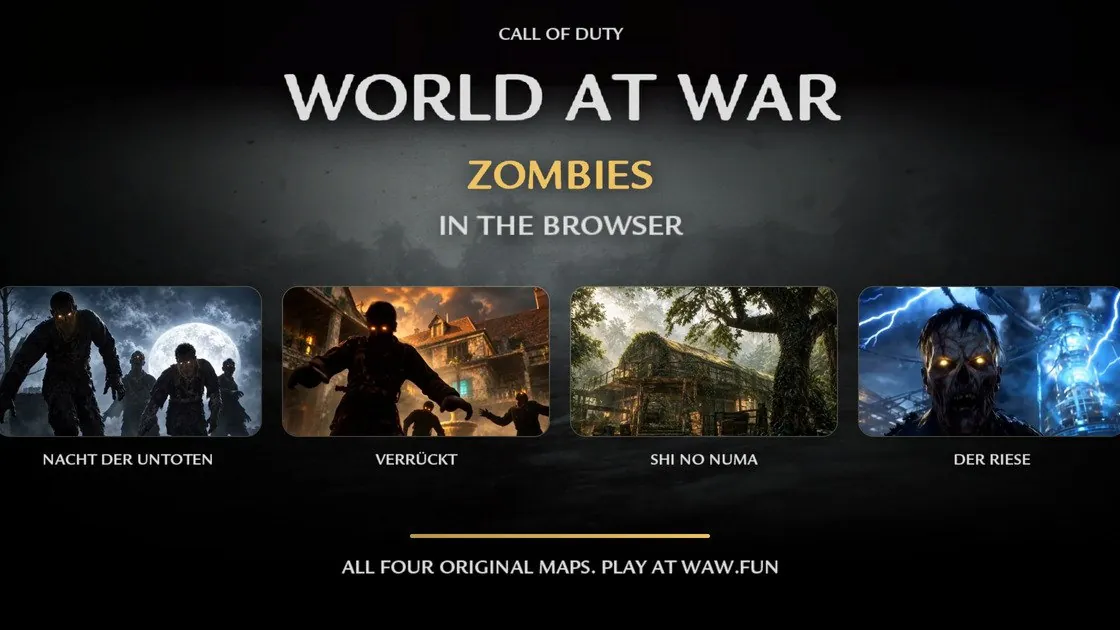
This page plays all four of those original maps in a desktop browser. Nacht der Untoten is the small, bare bunker where it started. Verrückt moves into an asylum and adds perk machines like Juggernog and Speed Cola. Shi No Numa takes you to a Japanese swamp with hellhounds and new wonder weapons, and Der Riese brings the factory, teleporters, the Pack-a-Punch machine and the Wunderwaffe DG-2.
The web version is a fan project, a decompilation by @0xRishi published by Vesper (OpenGame) at waw.fun. Before it loads, the site asks whether you own World at War, since it is meant for owners of the game, and it runs a quick browser check. Solo play lets you pick a map, start from round 1 and switch on an Easy Mode, and the multiplayer menu has lobby codes with voice and camera chat. It needs a desktop or laptop with a keyboard and mouse or a controller; touch devices are not supported. The game opens in a new tab.
How to play World at War Zombies
- Press Play on a computer. waw.fun opens in a new tab and checks your browser for a moment.
- Answer the question about owning Call of Duty: World at War, then press Enter at the title screen.
- Choose Solo, pick one of the four maps, and toggle Easy Mode if you want a gentler start.
- Press Launch and click inside the game so it captures the mouse. Turn on fullscreen from the button on the page.
- If you see the message that your browser could not be verified, reload the page; try Chrome or Edge if it keeps failing.
Controls
These are the default PC keys of Call of Duty: World at War. The browser version is built from the original game, but we could not check every binding inside it. A controller also works.
Tips
- In the early rounds, knife the zombies after a few shots. Melee kills earn more points than gun kills.
- Rebuild the boarded windows with F while you wait for zombies; every plank you put back gives points.
- Do not waste points on the Mystery Box in round 1. Open a door or buy a wall weapon first, then roll the box once you have a buffer.
- Use Chrome or Edge with hardware acceleration on and close other tabs before you start a long run.
Questions
- Is World at War zombies free to play in the browser?
- The fan site waw.fun is free to open, but it asks if you own Call of Duty: World at War, because it is meant for people who own the game.
- Which zombies maps are included?
- All four World at War maps: Nacht der Untoten, Verrückt, Shi No Numa and Der Riese.
- Can I play WaW zombies co-op with friends in the browser?
- The multiplayer menu has lobby codes and voice chat for co-op, and solo play lets you pick any of the four maps on your own.
- Can I play it on a phone or Chromebook?
- Phones and other touch devices are not supported. A Chromebook may work if it has a keyboard and mouse and no touch input, but a desktop computer is the safe choice.
- Free
- No download
- WaW zombies browser
- World at War zombies online
- Nacht der Untoten
- Der Riese
- CoD zombies free
- WaW zombies
- World at War zombies
- CoD WaW zombies
Fan project, not affiliated with Activision or Treyarch.
Changelog
- Updated : Game description updated
- Updated : New site to play on: OpenGame (was waw.fun). waw.fun stopped working
- Updated : New site to play on: zombies.concentric.live
- Updated : New cover image
- Added
Part of
More free browser games
- Pokémon (18 games)
- Majesty Gold HD
- Portal
- The Elder Scrolls III: Morrowind
- Super Monkey Ball
- Crimsonland
- Snail Mail
- Harvest: Massive Encounter
- Dragon Ball Z: Budokai Tenkaichi 3
- GTA: Chinatown Wars
- City Chase: Escape Police
- Mario Kart 8 Deluxe
See all 250 browser games, or browse the list page by page.