Occasional game news and announcements from INXANITY. Get them as browser notifications.
Add INXANITY to your Home Screen
Tap Share in Safari
Choose Add to Home Screen
Open INXANITY Games from your Home Screen and subscribe there
Updates for all games. Unsubscribe anytime.
About GTA: Chinatown Wars
Can you play GTA: Chinatown Wars in your browser? Yes: play it free on INXANITY Games, with no download and no install. We keep 2 working sites for it; pick one when you press Play.
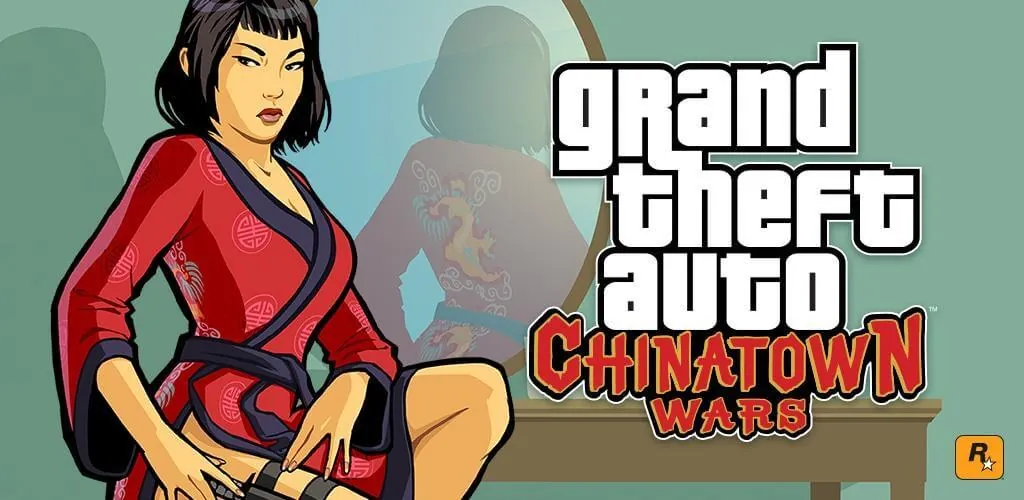
Grand Theft Auto: Chinatown Wars was made by Rockstar Leeds with Rockstar North and released in 2009, first on the Nintendo DS in March and then on the PSP in October. You play Huang Lee, who flies into Liberty City to deliver his murdered father's sword to his uncle Wu 'Kenny' Lee, gets robbed and left for dead, and then works his way through the Triad families. The camera looks down on the city from above, and the game is known for its drug-dealing side business, where you buy low in one district and sell high in another, plus hotwiring and police chases that end only when you ram the cops off the road.
This page links to a fan web project by Raiin at gta-chinatown-wars.pages.dev. It runs the PSP version through a WebAssembly fork of the PPSSPP emulator, so it plays like the handheld original. The first start downloads about 900 MB of game data, and your progress is stored in the browser. A save manager can export and import .ppsspp save files or sync them to Google Drive.
On phones it draws on-screen PSP buttons, and a controller works too. The game data server of gta-chinatown-wars.pages.dev has a daily limit; when it is reached, PlayTab is the other place to play.
A PPSSPP browser front end configured for the PSP Chinatown Wars image. Its public config specifies 904,232,960 bytes of game data on a separate relay.
Controls
The runtime's on-foot hint says WASD move, I enter/exit, X/K Cross and J Square. Vehicle mode uses W/S drive and A/D steer; M switches mode and Tab+WASD handles hotwiring. Touch controls and controller selection are present.
Saves
The runtime keeps persistent files in browser-private OPFS storage and includes downloadable save-slot bundles.
Things to know
The inventory's daily relay-limit claim was not reverified. The relay image was not fetched and no save round-trip or game launch was performed.
PlayTab's Chinatown Wars page is a PSP browser player despite its ps2 hostname. The fetched page includes keyboard, gamepad and on-screen PSP control handling.
Controls
Arrows are the D-pad; I/J/K/L control the analog stick; Z/X/A/S map to Cross/Circle/Square/Triangle; Q/W are shoulders; Enter is Start and Backspace is Select.
Saves
The page mounts /game/ms0/PSP/SAVEDATA through IndexedDB and syncs writes. It offers ZIP save handling; its separate cloud module describes one cloud save per game for PlayTab Premium.
Things to know
Cloud integration relies on the PlayTab parent frame. Premium entitlement, cloud sync and gameplay were not tested; do not inherit the other provider's download-size or relay-limit claims. Opening this listing hands off to the game page on bigpicture.playtab.fun. Starting a game takes three steps: press Play, confirm the one-time welcome and age dialog, then when the site says an ad will open in a new tab, close that tab and come back to the page. The site runs side, native and between-launch ad frames around the game.
The game data server behind gta-chinatown-wars.pages.dev has a daily limit. If it shows "Could not connect to game data", play on PlayTab instead or come back after the reset.
How to play GTA: Chinatown Wars
Press Play and pick a site: gta-chinatown-wars.pages.dev or PlayTab. Both open in a new tab.
Wait for the first download of about 900 MB. Later visits start faster because your browser keeps the data.
If you see 'Could not connect to game data', the server hit its daily limit. Try again later.
Click the game picture so it gets your keyboard, then start a new story or continue from the game's menu.
Press Esc to pause. The pause card has Resume, Save / Load and In-game menu, plus a Fullscreen button at the top.
Controls
W A S DWalk, and steer when the car layer is onIGet in or out of a vehicle (PSP Triangle)W / S in a carAccelerate / brake and reverseTab + W A S DHotwire a carMSwitch between the on-foot and driving key layersX or KPSP CrossJPSP SquareUPSP CircleQ / EPSP L / R shoulder buttonsArrow keysPSP D-padEnterStart (game menu)ShiftSelectEscPause, save and load
These bindings come from the port itself. It swaps what W and S do when you enter a car; the hint bar above the game shows the active layer. On phones, on-screen PSP buttons appear instead.
Tips
Use Chrome or Edge and close other heavy tabs: the emulator and the 900 MB of data need memory.
Save in the game's own safehouse, then export your .ppsspp saves from the save manager now and then so a cleared browser does not cost you the story.
If the car will not move, press M once: the keys may still be on the walking layer.
Deal drugs early: buying cheap in one district and selling in another is the fastest money in the game.
Questions
Is GTA Chinatown Wars free to play in the browser?
The fan web version is free to open. It runs the PSP edition in your browser and is not affiliated with Rockstar Games.
Does it save my progress?
Yes. Saves stay in this browser on this device, and you can export them as .ppsspp files or sync them to Google Drive.
Why does it say it could not connect to game data?
The server that holds the game data has a daily limit. When it is reached the game cannot load until the limit resets, so try again later.
Can I play it on a phone?
The page shows touch PSP buttons on phones, but the 900 MB download and the emulator run best on a computer.
Free
No download
GTA Chinatown Wars online
Chinatown Wars in browser
GTA PSP game
Play GTA free
Fan web project, not affiliated with Rockstar Games or Take-Two Interactive.
Changelog
Updated : New site to play on: PlayTab. Game description updated