Play Hollow Knight in your browser
By dezm0n · Metroidvania · Classic
About Hollow Knight
Play Hollow Knight free in your browser. No download, no install. 3 sites host it (dezm0n (itch.io), fnaffree.io, hollowknight.io): pick one when you press Play.
Hollow Knight is Team Cherry's 2017 metroidvania, made by a small team in Adelaide, Australia, after a Kickstarter campaign. You play the Knight, a small masked warrior who descends into Hallownest, a fallen bug kingdom under the town of Dirtmouth. The world is one large connected map of caves, fungal wastes, a rainy capital city and deep abysses. You find new abilities such as the dash, wall cling and double jump, unlock paths you could not reach before, and fight more than 40 hand-drawn bosses. Charms that you equip in limited notches let you shape your own build.
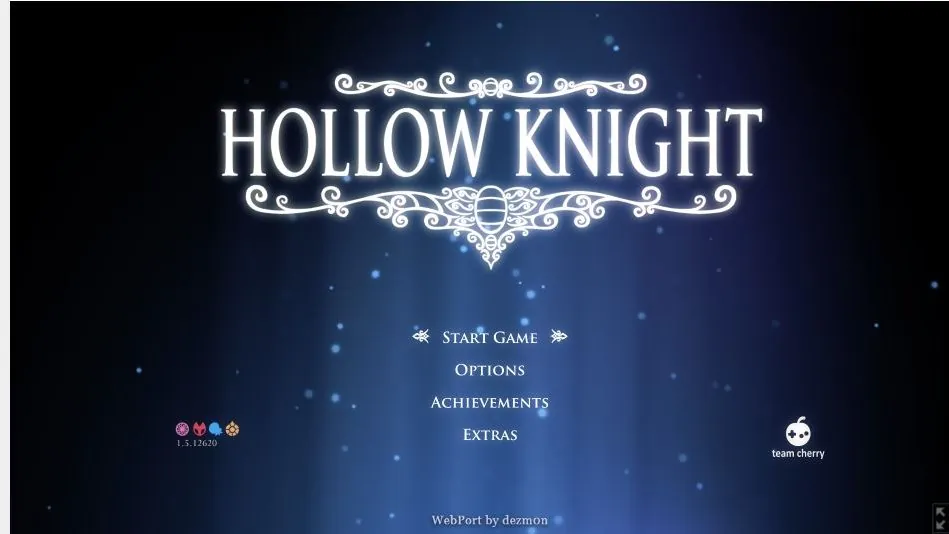
The browser version here is dezm0n's unofficial WebAssembly reconstruction of the game, which its author describes as a reverse engineering portfolio project. It loads by itself and goes straight to the game's own menu, with no download and no game files of your own. Its itch.io page also lets you download or upload PC save files (user1.dat to user4.dat), so you can move a run between the web and a PC.
The author recommends Chrome or Edge on a computer. Two other sites host the same port, and you can pick one when you press Play. All of them open in a new tab.
How to play Hollow Knight
- Press Play and choose a site. dezm0n's itch.io page is the original; the others host the same port.
- On itch.io, press Run game. The port opens in a new tab.
- Wait for the game to load into its own title menu, then click inside it so it gets your keyboard.
- Start a new game in an empty save slot.
- Rest at benches to save. On itch.io you can download your user.dat files to back them up.
Controls
The port's page lists arrow keys, Z, X and Esc. The rest are the PC defaults of Hollow Knight, which the port keeps; you can change them in the game's keyboard options.
Tips
- Use Chrome or Edge on a computer, as the port's author recommends.
- Find Cornifer in each new area to buy its map, and buy a quill from Iselda in Dirtmouth so the map fills in as you explore.
- When you die, go back and hit your shade to get your Geo back.
- Sit at every bench you find; it saves the game and refills your health.
- If one site fails to load, try another site from the Play list.
Questions
- Can I play Hollow Knight in the browser for free?
- Yes. dezm0n's web port runs in a desktop browser with no download. It is an unofficial fan project, not affiliated with Team Cherry.
- Can I use my PC save in the browser version?
- The port's itch.io page lets you upload and download user1.dat to user4.dat save files. Heavily modded saves have not been tested.
- Does Hollow Knight web work on a phone or Chromebook?
- It is made for keyboard on a computer. A Chromebook with Chrome may work; phones are not supported.
- Is this Silksong?
- No. This is the original Hollow Knight from 2017.
- Free
- No download
- Hollow Knight browser
- Hollow Knight online free
- Hollow Knight web port
- Play Hollow Knight free
- HK
- Hollow Knight Voidheart Edition
- Hollow Knight unblocked
Fan project, not affiliated with Team Cherry.
Changelog
- Added
More free browser games
- Play GTA V in your browser
- Play Counter-Strike 1.6 in your browser
- Play LEGO Island in your browser
- Play Pokémon Redstone in your browser
- Play Taipei Rush in your browser
- Play Redcoats in your browser
- Play Salty Seas in your browser
- Play Park Baron in your browser
- Play SandStorm in your browser
- Play Seedbed in your browser
- Play GTA Vice City in your browser
- Play GTA III in your browser
- Play Halo: Combat Evolved in your browser
- Play Cricket 07 in your browser
- Play WWE SmackDown! Here Comes the Pain in your browser
- Play Mortal Kombat: Shaolin Monks in your browser
- Play Burnout 3: Takedown in your browser
- Play Worms: Open Warfare 2 in your browser
- Play Guitar Hero III in your browser
- Play Cuphead Boss Fight: Wally Warbles (fan game) in your browser
- Play Need for Speed: Most Wanted in your browser
- Play Midnight Club 3: DUB Edition in your browser
- Play WWE SmackDown vs. Raw 2011 in your browser
- Play PES 2014 in your browser
- Play FIFA 14 in your browser
- Play Need for Speed: Underground 2 in your browser
- Play Tekken 5: Dark Resurrection in your browser
- Play PES 2011 in your browser
- Play World at War Zombies in your browser
- Play Pokémon (18 games) in your browser
- Play Majesty Gold HD in your browser
- Play Portal in your browser
- Play No One Lives Forever in your browser
- Play The Elder Scrolls III: Morrowind in your browser
- Play Super Monkey Ball in your browser
- Play Quake (Episode 1) in your browser
- Play Crimsonland in your browser
- Play Snail Mail in your browser
- Play Harvest: Massive Encounter in your browser
- Play Dragon Ball Z: Budokai Tenkaichi 3 in your browser
- Play GTA: Chinatown Wars in your browser
- Play City Chase: Escape Police in your browser
- Play Mario Kart 8 Deluxe in your browser
- Play Team Fortress 2 in your browser
- Play The Binding of Isaac: Repentance+ in your browser
- Play Fortnite OG in your browser
- Play Tweetcraft in your browser
- Play Halo CE Mobile in your browser
- Play Super Mario Zombies in your browser
- Play DOOM II Multiplayer in your browser
- Play Quake III Arena in your browser
- Play Quake II in your browser
- Play QuakeWorld in your browser
- Play Return to Castle Wolfenstein in your browser
- Play Urban Terror in your browser
- Play Moon (Zombies) in your browser
- Play Kino der Toten in your browser
- Play Cheese Cube (Zombies) in your browser
- Play Black Ops II (Vibe Slops II) in your browser
- Play Modern Warfare 2 in your browser
- Play Diablo in your browser
- Play Half-Life in your browser
- Play Black Ops Zombies in your browser
- Play skate. 3 in your browser
- Play The Simpsons: Hit & Run in your browser
- Play Minecraft 1.8.8 in your browser
- Play Crash Bash Online in your browser
- Play PES 6 in your browser
- Play RuneScape Classic in your browser
- Play Surfd in your browser
- Play Cuphead in your browser
- Play Stardew Valley in your browser
- Play Among Us in your browser
- Play Lethal Company in your browser
- Play PEAK in your browser
- Play RimWorld in your browser
- Play Inscryption in your browser
- Play Bendy and the Ink Machine in your browser
- Play MiSide in your browser
- Play OneShot: World Machine Edition in your browser
- Play Helltaker in your browser
- Play FEZ in your browser
- Play Brotato Paws n' Claws in your browser
- Play Ravenfield in your browser
- Play Clustertruck in your browser
- Play Plague Inc in your browser
- Play Lobotomy Corporation in your browser
- Play Trombone Champ in your browser
- Play Granny 3 in your browser
- Play How to Fish in your browser
- Play SCP: Containment Breach in your browser
- Play Baldi's Basics Birthday Bash in your browser
- Play Boil Noodles at Night in your browser
- Play Cheese Rolling in your browser
- Play Dice A Million in your browser
- Play The Man From The Window 2 in your browser
- Play Beatblock in your browser
- Play Happy Room in your browser
- Play Ages of Conflict in your browser
- Play while True: learn() in your browser
- Play Crashout Crew in your browser
- Play The Message From Deep Space in your browser
- Play Dude, Stop in your browser
- Play Hill Climb Racing in your browser
- Play Toasterball in your browser
- Play Flash Games (878) in your browser
- Play Arcade Classics (227) in your browser