Play Cuphead in your browser
By wasm.rip (port by crackers) · Run and gun · Bosses
About Cuphead
Can you play Cuphead in your browser? Yes: play it free on INXANITY Games, with no download and no install. It runs right on this page.
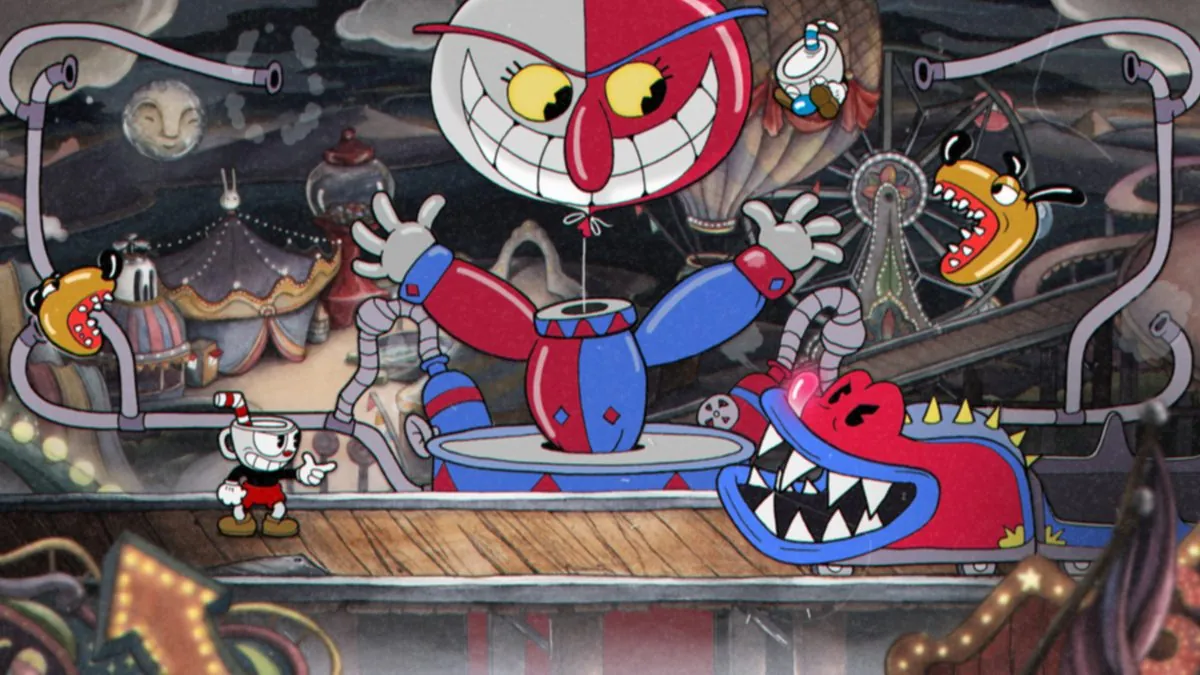
Cuphead is a run and gun from StudioMDHR, released in September 2017 for Windows and Xbox One. Brothers Chad and Jared Moldenhauer drew every frame by hand in the style of 1930s cartoons, with watercolor backgrounds and a big band jazz soundtrack. The story is simple: Cuphead and Mugman lose a bet with the Devil at his casino and have to collect the souls of debtors across the Inkwell Isles to pay it back. Most of the game is boss fights, each one a multi-phase brawl that you learn by dying many times.
The version on this page is a Unity WebGL build made by the porter crackers (woahhcrackers) and listed on wasm.rip, a group of people who port PC games to the browser. The game files are pulled in parts from the porter's GitHub and stitched together in the tab, then the Unity engine starts. When the page opens you will see a pop-up crediting the porter; close it and the load continues.
It is made for a desktop or laptop with a keyboard. The page warns that phones are not supported. The first load downloads the whole game, so it can take a while on a slow connection, and wasm.rip suggests Chrome or Edge if it stutters after loading.
How to play Cuphead
- Press Play. The port loads from wasm.rip inside the page.
- Close the pop-up that credits the porter, crackers. It may show up twice.
- Wait for the Loading text to disappear. The first load downloads the full game, so give it time.
- Click inside the game so it receives your keys, then start a new file from the title screen.
- Walk the overworld map with the arrow keys and press Z on a level or boss to enter it.
Controls
These are the PC defaults of the original game, which this Unity port keeps. In plane levels Z parries, X shoots, V fires a special and Shift shrinks.
Tips
- Close other heavy tabs before loading; the download is large and runs in memory.
- Parry pink bullets and objects with a second Z press in mid-air. Each parry fills your super meter.
- Hold C to stand still and aim in eight directions; it makes flying enemies much easier.
- Play the Simple mode of a boss to learn its patterns, then switch to Regular to get its soul contract.
- If the screen stays black after loading, reload the page in Chrome or Edge.
Questions
- Can I play Cuphead in the browser for free?
- Yes. This fan port runs in a desktop browser with no download or install. It is unofficial and not made by StudioMDHR.
- Does Cuphead in the browser work on a phone or iPad?
- No. The page shows a warning that its WebGL build is not supported on mobile. Use a computer.
- Why is Cuphead stuck on Loading?
- The first load downloads the whole game in parts, which takes time on slow internet. If it never finishes, reload, and try Chrome or Edge.
- Do I need to download or install Cuphead?
- No. The game files load into the browser tab each time you open it. Nothing is installed on your computer.
- Free
- No download
- Cuphead browser
- Cuphead web port
- Boss rush
Unofficial web port of the original game, made by fans. Not affiliated with its developer or publisher.
Changelog
- Updated : Game description updated
- Added
More free browser games
- Play GTA V in your browser
- Play Counter-Strike 1.6 in your browser
- Play LEGO Island in your browser
- Play Pokémon Redstone in your browser
- Play Taipei Rush in your browser
- Play Redcoats in your browser
- Play Salty Seas in your browser
- Play Park Baron in your browser
- Play SandStorm in your browser
- Play Seedbed in your browser
- Play GTA Vice City in your browser
- Play GTA III in your browser
- Play Halo: Combat Evolved in your browser
- Play Cyberpunk 2077 in your browser
- Play Five Nights at Freddy's in your browser
- Play Cricket 07 in your browser
- Play WWE SmackDown! Here Comes the Pain in your browser
- Play Mortal Kombat: Shaolin Monks in your browser
- Play Burnout 3: Takedown in your browser
- Play Hollow Knight in your browser
- Play Worms: Open Warfare 2 in your browser
- Play Guitar Hero III in your browser
- Play Cuphead Boss Fight: Wally Warbles (fan game) in your browser
- Play Need for Speed: Most Wanted in your browser
- Play Midnight Club 3: DUB Edition in your browser
- Play WWE SmackDown vs. Raw 2011 in your browser
- Play PES 2014 in your browser
- Play FIFA 14 in your browser
- Play Need for Speed: Underground 2 in your browser
- Play Tekken 5: Dark Resurrection in your browser
- Play PES 2011 in your browser
- Play World at War Zombies in your browser
- Play Pokémon (18 games) in your browser
- Play Majesty Gold HD in your browser
- Play Portal in your browser
- Play No One Lives Forever in your browser
- Play The Elder Scrolls III: Morrowind in your browser
- Play Super Monkey Ball in your browser
- Play Quake (Episode 1) in your browser
- Play Crimsonland in your browser
- Play Snail Mail in your browser
- Play Harvest: Massive Encounter in your browser
- Play Dragon Ball Z: Budokai Tenkaichi 3 in your browser
- Play GTA: Chinatown Wars in your browser
- Play City Chase: Escape Police in your browser
- Play Mario Kart 8 Deluxe in your browser
- Play Mario Kart 64 in your browser
- Play Super Mario Galaxy in your browser
- Play Team Fortress 2 in your browser
- Play The Binding of Isaac: Repentance+ in your browser
- Play Fortnite OG in your browser
- Play Tweetcraft in your browser
- Play Halo CE Mobile in your browser
- Play Super Mario Zombies in your browser
- Play DOOM II Multiplayer in your browser
- Play Quake III Arena in your browser
- Play Quake II in your browser
- Play QuakeWorld in your browser
- Play Return to Castle Wolfenstein in your browser
- Play Urban Terror in your browser
- Play Moon (Zombies) in your browser
- Play Kino der Toten in your browser
- Play Cheese Cube (Zombies) in your browser
- Play Black Ops II (Vibe Slops II) in your browser
- Play Modern Warfare 2 in your browser
- Play Diablo in your browser
- Play Half-Life in your browser
- Play Black Ops Zombies in your browser
- Play skate. 3 in your browser
- Play The Simpsons: Hit & Run in your browser
- Play Minecraft 1.8.8 in your browser
- Play Crash Bash Online in your browser
- Play PES 6 in your browser
- Play RuneScape Classic in your browser
- Play Surfd in your browser
- Play Hotline Miami in your browser
- Play Stardew Valley in your browser
- Play Among Us in your browser
- Play Lethal Company in your browser
- Play PEAK in your browser
- Play RimWorld in your browser
- Play Inscryption in your browser
- Play Bendy and the Ink Machine in your browser
- Play MiSide in your browser
- Play OneShot: World Machine Edition in your browser
- Play Helltaker in your browser
- Play FEZ in your browser
- Play Brotato Paws n' Claws in your browser
- Play Ravenfield in your browser
- Play Clustertruck in your browser
- Play Plague Inc in your browser
- Play Lobotomy Corporation in your browser
- Play Trombone Champ in your browser
- Play Granny 3 in your browser
- Play How to Fish in your browser
- Play SCP: Containment Breach in your browser
- Play Baldi's Basics Birthday Bash in your browser
- Play Boil Noodles at Night in your browser
- Play Cheese Rolling in your browser
- Play Dice A Million in your browser
- Play The Man From The Window 2 in your browser
- Play Beatblock in your browser
- Play Happy Room in your browser
- Play Ages of Conflict in your browser
- Play while True: learn() in your browser
- Play Crashout Crew in your browser
- Play The Message From Deep Space in your browser
- Play Dude, Stop in your browser
- Play Hill Climb Racing in your browser
- Play Toasterball in your browser
- Play Flash Games (878) in your browser
- Play Arcade Classics (227) in your browser
- Play Tony Hawk's Pro Skater 3 in your browser
- Play Spider-Man 2 in your browser
- Play PES 2012 in your browser
- Play Crash Nitro Kart in your browser
- Play UFC Throwdown in your browser
- Play Naruto Shippuden: Ultimate Ninja 5 in your browser
- Play WWE SmackDown vs. Raw 2010 in your browser
- Play WWE SmackDown! vs. RAW in your browser
- Play NBA Street V3 in your browser
- Play Virtua Tennis 2 in your browser
- Play Resident Evil 4 in your browser
- Play Tekken 4 in your browser
- Play Street Fighter III: 3rd Strike in your browser
- Play NFL Street in your browser
- Play SSX 3 in your browser
- Play F1 06 in your browser
- Play Tony Hawk's Underground 2 in your browser
- Play Downhill Domination in your browser
- Play Dragon Ball Z Budokai Tenkaichi 2 in your browser
- Play Dragon Ball Z Budokai 3 in your browser
- Play Marvel vs. Capcom 2 in your browser
- Play Street Fighter Anniversary Collection in your browser
- Play FIFA Street in your browser
- Play FIFA 11 in your browser
- Play FIFA 12 in your browser
- Play FIFA 13 in your browser
- Play Battle Stadium D.O.N in your browser
- Play Gran Turismo 4 in your browser
- Play FIFA Street 2 in your browser
- Play Crisis Core: Final Fantasy VII in your browser
- Play God of War: Ghost of Sparta in your browser
- Play Terraria in your browser
- Play Resident Evil Outbreak: File #1 + #2 in your browser
- Play Mortal Kombat: Armageddon (Mortal Kombardo) in your browser
- Play POSTAL 2 in your browser
- Play Airtime in your browser
- Play GTA Paris Online (beta) in your browser
- Play Angry Birds 2 in your browser
- Play GTA 2 in your browser
- Play Meat Boy in your browser
- Play Tomb Raider (OpenLara) in your browser
- Play Super Mario Kart (fan remake) in your browser
- Play LEGO Racers (Step On It) in your browser
- Play Mortal Kombat 9 (Mortal Kombardo 9) in your browser
- Play Dragon Ball Z Budokai in your browser
- Play Dragon Ball Z Budokai 2 in your browser
- Play NFL Street 2 (NIL Street) in your browser
- Play Sonic Mania Plus in your browser
- Play Spore Origins (fan remake) in your browser
- Play Super Mario Bros. in your browser
- Play Unreal in your browser
- Play Unreal Tournament in your browser
- Play Unreal Tournament 2004 in your browser
- Play Unreal Championship 2 in your browser
- Play Baldur's Gate II: Shadows of Amn in your browser
- Play CloverPit in your browser
- Play FlatOut 2 in your browser
- Play Star Wars Jedi Knight II: Jedi Outcast (demo) in your browser
- Play Need for Speed: Underground 2 Online in your browser
- Play Warcraft II: Tides of Darkness in your browser
- Play Pokémon Red & Blue Online in your browser
- Play World of Warcraft Classic (Keldurn) in your browser
- Play Naruto Shippuden: Ultimate Ninja Impact in your browser
- Play Tomb Raider: Legend in your browser
- Play Def Jam: Fight for NY - The Takeover in your browser
- Play Gran Turismo (PSP) in your browser
- Play Devil May Cry 3: Dante's Awakening in your browser
- Play Vexx in your browser
- Play Daxter in your browser
- Play God of War: Chains of Olympus in your browser
- Play Resident Evil Code: Veronica X in your browser
- Play Bully (Canis Canem Edit) in your browser
- Play DRIV3R in your browser
- Play Def Jam: Fight for NY in your browser
- Play The Lord of the Rings: The Return of the King in your browser
- Play Pursuit Force in your browser
- Play Kingdom Hearts: Birth by Sleep in your browser
- Play Metal Gear Solid: Peace Walker in your browser
- Play Metal Gear Solid: Portable Ops in your browser
- Play Metal Gear Solid: Portable Ops Plus in your browser
- Play Enter the Matrix in your browser
- Play GTA IV in your browser
- Play GTA: Vice City Stories in your browser
- Play Assassin's Creed: Bloodlines in your browser
- Play True Crime: New York City in your browser
- Play Star Wars: Battlefront 2 in your browser
- Play Prince of Persia: The Sands of Time in your browser
- Play Killzone in your browser
- Play Metal Gear Acid in your browser
- Play Medal of Honor: Heroes in your browser
- Play SOCOM: U.S. Navy SEALs Fireteam Bravo in your browser
- Play Ratchet & Clank: Size Matters in your browser
- Play Shadow of the Colossus in your browser
- Play Spyro: Enter the Dragonfly in your browser
- Play Hitman: Blood Money in your browser
- Play BLACK in your browser
- Play Tony Hawk's American Wasteland in your browser
- Play Dante's Inferno in your browser
- Play Conker's Bad Fur Day: Multiplayer in your browser
- Play Cave Story in your browser
- Play Sandspiel in your browser
- Play Vice City Online in your browser
- Play GTA San Andreas PS2 Version in your browser