All browser games
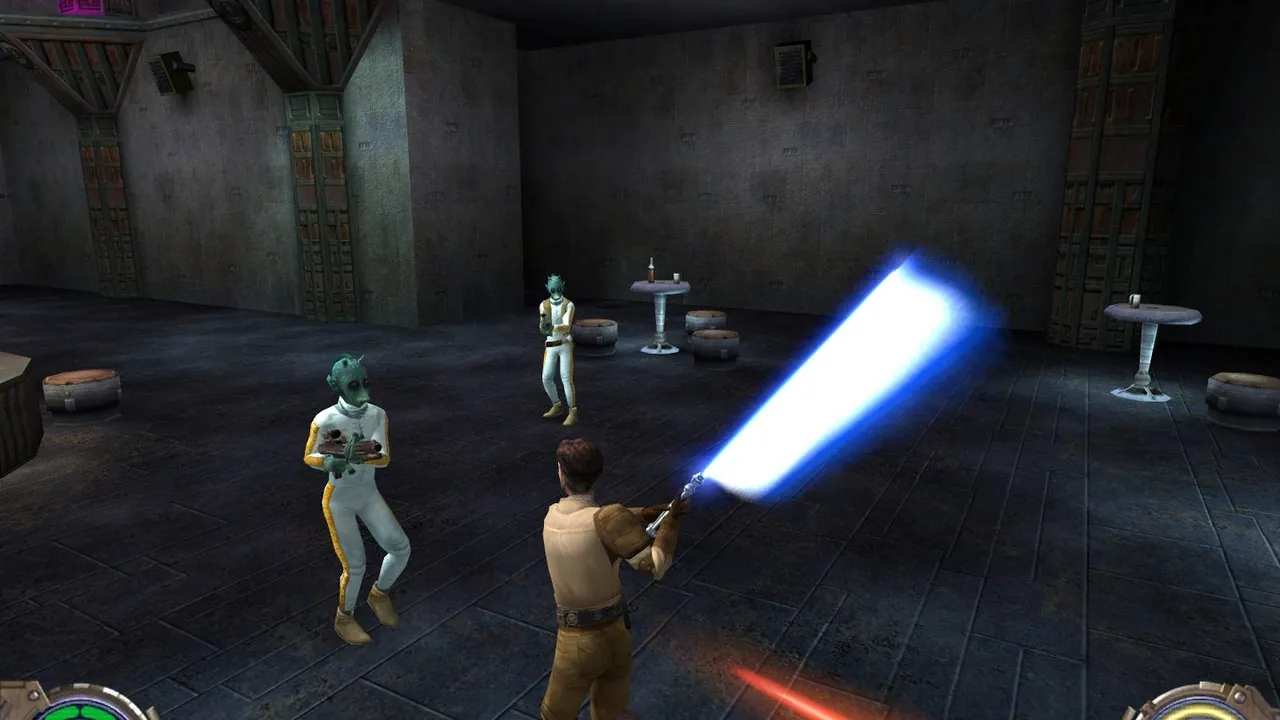
Play Star Wars Jedi Knight II: Jedi Outcast (demo) in your browser
By Virtastic · FPS · Classic
About Star Wars Jedi Knight II: Jedi Outcast (demo)
Play Star Wars Jedi Knight II: Jedi Outcast (demo) free in your browser. No download, no install: it opens on jk2.virtastic.app in a new tab.
Jedi Outcast follows Kyle Katarn from blaster fights to lightsaber duels and Force powers. It was built on the Quake III engine and later released as GPL source.
Virtastic compiled that source to WebAssembly. The page's Play the demo button starts the official free Kejim Post mission with no game files from you. The full campaign needs files from your own copy, so this page covers the demo.
How to play Star Wars Jedi Knight II: Jedi Outcast (demo)
- Press Play. Virtastic's page opens in a new tab.
- Choose Play the demo. Do not pick the bring-your-own option.
- Start a New game from the menu.
Controls
W A S DMoveMouseAim, attackSpaceJumpEscMenu
Common defaults; the in-game Controls menu lists every binding.
Tips
- Use desktop Chrome, Edge or Brave.
Questions
- Is the whole game here?
- No. The demo mission plays free; the full game needs your own files and is not covered here.
- Free
- No download
- Jedi Outcast browser
- Jedi Knight 2 online
- Jedi Outcast demo
- Star Wars Jedi Outcast web
- Jedi Outcast browser
- JK2 demo
- Jedi Outcast demo
Unofficial port of the GPL engine source by Virtastic. Star Wars and Jedi Knight are trademarks of their owners.
Changelog
- Added
More free browser games
- Play GTA V in your browser
- Play LEGO Island in your browser
- Play Pokémon Redstone in your browser
- Play Taipei Rush in your browser
- Play Salty Seas in your browser
- Play Park Baron in your browser
- Play SandStorm in your browser
- Play Seedbed in your browser
- Play GTA Vice City in your browser
- Play GTA III in your browser
- Play Cyberpunk 2077 in your browser
- Play Five Nights at Freddy's in your browser
- Play Cricket 07 in your browser
- Play WWE SmackDown! Here Comes the Pain in your browser
- Play Mortal Kombat: Shaolin Monks in your browser
- Play Burnout 3: Takedown in your browser
- Play Hollow Knight in your browser
- Play Worms: Open Warfare 2 in your browser
- Play Guitar Hero III in your browser
- Play Cuphead Boss Fight: Wally Warbles (fan game) in your browser
- Play Need for Speed: Most Wanted in your browser
- Play Midnight Club 3: DUB Edition in your browser
- Play WWE SmackDown vs. Raw 2011 in your browser
- Play PES 2014 in your browser
- Play FIFA 14 in your browser
- Play Need for Speed: Underground 2 in your browser
- Play Tekken 5: Dark Resurrection in your browser
- Play PES 2011 in your browser
- Play Pokémon (18 games) in your browser
- Play Majesty Gold HD in your browser
- Play Portal in your browser
- Play The Elder Scrolls III: Morrowind in your browser
- Play Super Monkey Ball in your browser
- Play Crimsonland in your browser
- Play Snail Mail in your browser
- Play Harvest: Massive Encounter in your browser
- Play Dragon Ball Z: Budokai Tenkaichi 3 in your browser
- Play GTA: Chinatown Wars in your browser
- Play City Chase: Escape Police in your browser
- Play Mario Kart 8 Deluxe in your browser
- Play Mario Kart 64 in your browser
- Play Super Mario Galaxy in your browser
- Play The Binding of Isaac: Repentance+ in your browser
- Play Fortnite OG in your browser
- Play Tweetcraft in your browser
- Play Super Mario Zombies in your browser
- Play DOOM II Multiplayer in your browser
- Play Quake III Arena in your browser
- Play Quake II in your browser
- Play QuakeWorld in your browser
- Play Return to Castle Wolfenstein in your browser
- Play Urban Terror in your browser
- Play Moon (Zombies) in your browser
- Play Kino der Toten in your browser
- Play Cheese Cube (Zombies) in your browser
- Play Black Ops II (Vibe Slops II) in your browser
- Play Modern Warfare 2 in your browser
- Play Diablo in your browser
- Play Half-Life in your browser
- Play Black Ops Zombies in your browser
- Play skate. 3 in your browser
- Play The Simpsons: Hit & Run in your browser
- Play Minecraft 1.8.8 in your browser
- Play Crash Bash Online in your browser
- Play PES 6 in your browser
- Play RuneScape Classic in your browser
- Play Surfd in your browser
- Play Cuphead in your browser
- Play Hotline Miami in your browser
- Play Stardew Valley in your browser
- Play Among Us in your browser
- Play Lethal Company in your browser
- Play PEAK in your browser
- Play RimWorld in your browser
- Play Inscryption in your browser
- Play Bendy and the Ink Machine in your browser
- Play MiSide in your browser
- Play OneShot: World Machine Edition in your browser
- Play Helltaker in your browser
- Play FEZ in your browser
- Play Brotato Paws n' Claws in your browser
- Play Ravenfield in your browser
- Play Clustertruck in your browser
- Play Plague Inc in your browser
- Play Lobotomy Corporation in your browser
- Play Trombone Champ in your browser
- Play Granny 3 in your browser
- Play How to Fish in your browser
- Play SCP: Containment Breach in your browser
- Play Baldi's Basics Birthday Bash in your browser
- Play Boil Noodles at Night in your browser
- Play Cheese Rolling in your browser
- Play Dice A Million in your browser
- Play The Man From The Window 2 in your browser
- Play Beatblock in your browser
- Play Happy Room in your browser
- Play Ages of Conflict in your browser
- Play while True: learn() in your browser
- Play Crashout Crew in your browser
- Play The Message From Deep Space in your browser
- Play Dude, Stop in your browser
- Play Hill Climb Racing in your browser
- Play Toasterball in your browser
- Play Flash Games (878) in your browser
- Play Arcade Classics (227) in your browser
- Play Tony Hawk's Pro Skater 3 in your browser
- Play Spider-Man 2 in your browser
- Play PES 2012 in your browser
- Play Crash Nitro Kart in your browser
- Play UFC Throwdown in your browser
- Play Naruto Shippuden: Ultimate Ninja 5 in your browser
- Play WWE SmackDown vs. Raw 2010 in your browser
- Play WWE SmackDown! vs. RAW in your browser
- Play NBA Street V3 in your browser
- Play Virtua Tennis 2 in your browser
- Play Resident Evil 4 in your browser
- Play Tekken 4 in your browser
- Play Street Fighter III: 3rd Strike in your browser
- Play NFL Street in your browser
- Play SSX 3 in your browser
- Play F1 06 in your browser
- Play Tony Hawk's Underground 2 in your browser
- Play Downhill Domination in your browser
- Play Dragon Ball Z Budokai Tenkaichi 2 in your browser
- Play Dragon Ball Z Budokai 3 in your browser
- Play Marvel vs. Capcom 2 in your browser
- Play Street Fighter Anniversary Collection in your browser
- Play FIFA Street in your browser
- Play FIFA 11 in your browser
- Play FIFA 12 in your browser
- Play FIFA 13 in your browser
- Play Battle Stadium D.O.N in your browser
- Play Gran Turismo 4 in your browser
- Play FIFA Street 2 in your browser
- Play Crisis Core: Final Fantasy VII in your browser
- Play God of War: Ghost of Sparta in your browser
- Play Terraria in your browser
- Play Resident Evil Outbreak: File #1 + #2 in your browser
- Play Mortal Kombat: Armageddon (Mortal Kombardo) in your browser
- Play POSTAL 2 in your browser
- Play Airtime in your browser
- Play GTA Paris Online (beta) in your browser
- Play Angry Birds 2 in your browser
- Play GTA 2 in your browser
- Play Meat Boy in your browser
- Play Tomb Raider (OpenLara) in your browser
- Play Super Mario Kart (fan remake) in your browser
- Play LEGO Racers (Step On It) in your browser
- Play Mortal Kombat 9 (Mortal Kombardo 9) in your browser
- Play Dragon Ball Z Budokai in your browser
- Play Dragon Ball Z Budokai 2 in your browser
- Play NFL Street 2 (NIL Street) in your browser
- Play Sonic Mania Plus in your browser
- Play Spore Origins (fan remake) in your browser
- Play Super Mario Bros. in your browser
- Play Unreal in your browser
- Play Unreal Tournament in your browser
- Play Unreal Tournament 2004 in your browser
- Play Unreal Championship 2 in your browser
- Play Baldur's Gate II: Shadows of Amn in your browser
- Play CloverPit in your browser
- Play FlatOut 2 in your browser
- Play Need for Speed: Underground 2 Online in your browser
- Play Warcraft II: Tides of Darkness in your browser
- Play Pokémon Red & Blue Online in your browser
- Play World of Warcraft Classic (Keldurn) in your browser