Play Unreal Tournament 2004 in your browser
By Unreal Engine Web Ports (fan project) · FPS · Classic · Multiplayer
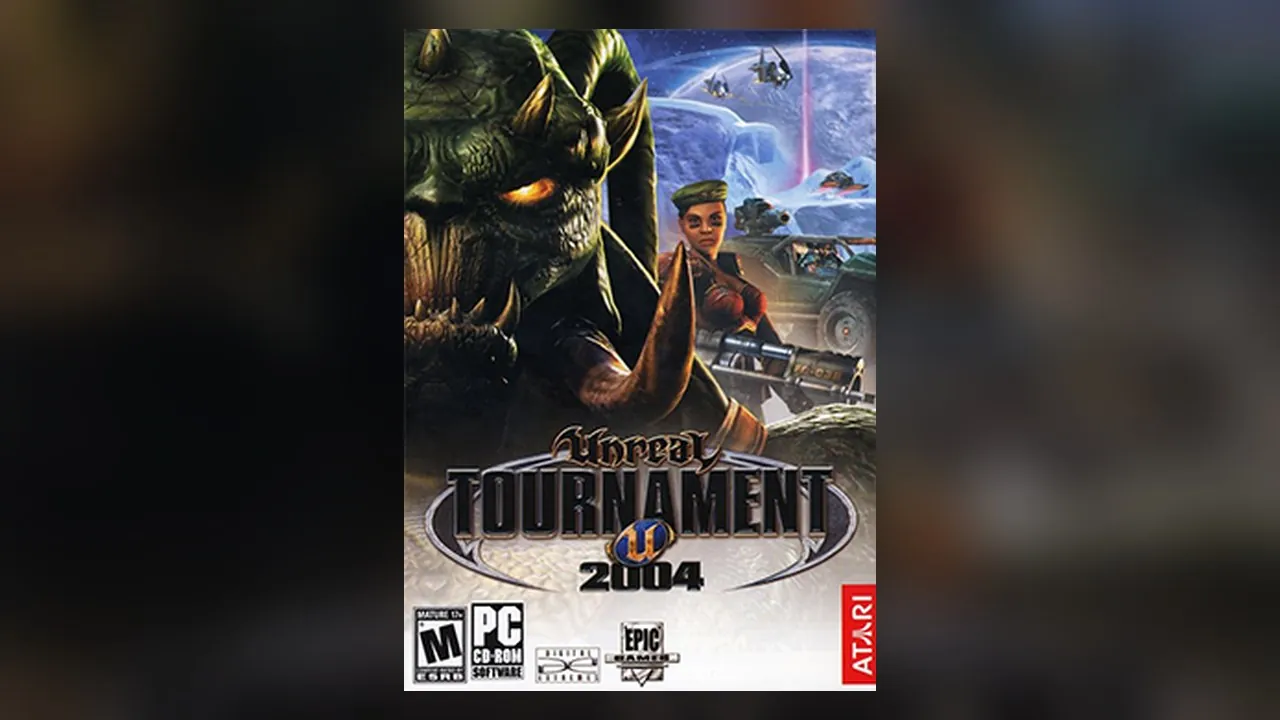
About Unreal Tournament 2004
Play Unreal Tournament 2004 free in your browser. No download, no install: it opens on unrealcollection.games in a new tab.
Unreal Tournament 2004 added vehicles and the Onslaught mode to the series' arena modes, with a big roster of maps and bots.
Unreal Engine Web Ports compiles classic Unreal-engine games to WebAssembly. Open the build, read its short notes, then press Start to menu. It needs a desktop browser with hardware acceleration on; with software graphics the page warns you and runs slowly. The project lists Unreal, Unreal Tournament, UT2004 and Unreal Championship 2 as separate builds.
How to play Unreal Tournament 2004
- Press Play. The launcher opens in a new tab.
- Read the build notes, then press Start to menu.
- If a warning about missing features appears, turn on hardware acceleration in your browser settings.
Controls
Common defaults; the game's own Options menu lists and changes every binding.
Tips
- Use Chrome, Edge or Firefox on a desktop.
- Clear all game data from the project's main page if a build stops loading.
Questions
- Do I need my own game files?
- No. The launcher loads its build directly.
- Why is it slow?
- It needs hardware-accelerated graphics. With software rendering the page warns you.
- Free
- No download
- Unreal Tournament 2004 browser
- Unreal Tournament 2004 online
- Unreal Tournament 2004 WebAssembly
- Play Unreal Tournament 2004 free
- UT2004
- UT 2004 browser
Fan project, not affiliated with Epic Games or the OldUnreal team.
Changelog
- Added
More free browser games
- Play GTA V in your browser
- Play LEGO Island in your browser
- Play Pokémon Redstone in your browser
- Play Taipei Rush in your browser
- Play Salty Seas in your browser
- Play Park Baron in your browser
- Play SandStorm in your browser
- Play Seedbed in your browser
- Play GTA Vice City in your browser
- Play GTA III in your browser
- Play Halo: Combat Evolved in your browser
- Play Cyberpunk 2077 in your browser
- Play Five Nights at Freddy's in your browser
- Play Cricket 07 in your browser
- Play WWE SmackDown! Here Comes the Pain in your browser
- Play Mortal Kombat: Shaolin Monks in your browser
- Play Burnout 3: Takedown in your browser
- Play Hollow Knight in your browser
- Play Worms: Open Warfare 2 in your browser
- Play Guitar Hero III in your browser
- Play Cuphead Boss Fight: Wally Warbles (fan game) in your browser
- Play Need for Speed: Most Wanted in your browser
- Play Midnight Club 3: DUB Edition in your browser
- Play WWE SmackDown vs. Raw 2011 in your browser
- Play PES 2014 in your browser
- Play FIFA 14 in your browser
- Play Need for Speed: Underground 2 in your browser
- Play Tekken 5: Dark Resurrection in your browser
- Play PES 2011 in your browser
- Play World at War Zombies in your browser
- Play Pokémon (18 games) in your browser
- Play Majesty Gold HD in your browser
- Play Portal in your browser
- Play No One Lives Forever in your browser
- Play The Elder Scrolls III: Morrowind in your browser
- Play Super Monkey Ball in your browser
- Play Quake (Episode 1) in your browser
- Play Crimsonland in your browser
- Play Snail Mail in your browser
- Play Harvest: Massive Encounter in your browser
- Play Dragon Ball Z: Budokai Tenkaichi 3 in your browser
- Play GTA: Chinatown Wars in your browser
- Play City Chase: Escape Police in your browser
- Play Mario Kart 8 Deluxe in your browser
- Play Mario Kart 64 in your browser
- Play Super Mario Galaxy in your browser
- Play The Binding of Isaac: Repentance+ in your browser
- Play Fortnite OG in your browser
- Play Tweetcraft in your browser
- Play Super Mario Zombies in your browser
- Play Return to Castle Wolfenstein in your browser
- Play Urban Terror in your browser
- Play Moon (Zombies) in your browser
- Play Kino der Toten in your browser
- Play Cheese Cube (Zombies) in your browser
- Play Black Ops II (Vibe Slops II) in your browser
- Play Modern Warfare 2 in your browser
- Play Diablo in your browser
- Play Half-Life in your browser
- Play Black Ops Zombies in your browser
- Play skate. 3 in your browser
- Play The Simpsons: Hit & Run in your browser
- Play Minecraft 1.8.8 in your browser
- Play Crash Bash Online in your browser
- Play PES 6 in your browser
- Play RuneScape Classic in your browser
- Play Surfd in your browser
- Play Cuphead in your browser
- Play Hotline Miami in your browser
- Play Stardew Valley in your browser
- Play Among Us in your browser
- Play Lethal Company in your browser
- Play PEAK in your browser
- Play RimWorld in your browser
- Play Inscryption in your browser
- Play Bendy and the Ink Machine in your browser
- Play MiSide in your browser
- Play OneShot: World Machine Edition in your browser
- Play Helltaker in your browser
- Play FEZ in your browser
- Play Brotato Paws n' Claws in your browser
- Play Ravenfield in your browser
- Play Clustertruck in your browser
- Play Plague Inc in your browser
- Play Lobotomy Corporation in your browser
- Play Trombone Champ in your browser
- Play Granny 3 in your browser
- Play How to Fish in your browser
- Play SCP: Containment Breach in your browser
- Play Baldi's Basics Birthday Bash in your browser
- Play Boil Noodles at Night in your browser
- Play Cheese Rolling in your browser
- Play Dice A Million in your browser
- Play The Man From The Window 2 in your browser
- Play Beatblock in your browser
- Play Happy Room in your browser
- Play Ages of Conflict in your browser
- Play while True: learn() in your browser
- Play Crashout Crew in your browser
- Play The Message From Deep Space in your browser
- Play Dude, Stop in your browser
- Play Hill Climb Racing in your browser
- Play Toasterball in your browser
- Play Flash Games (878) in your browser
- Play Arcade Classics (227) in your browser
- Play Tony Hawk's Pro Skater 3 in your browser
- Play Spider-Man 2 in your browser
- Play PES 2012 in your browser
- Play Crash Nitro Kart in your browser
- Play UFC Throwdown in your browser
- Play Naruto Shippuden: Ultimate Ninja 5 in your browser
- Play WWE SmackDown vs. Raw 2010 in your browser
- Play WWE SmackDown! vs. RAW in your browser
- Play NBA Street V3 in your browser
- Play Virtua Tennis 2 in your browser
- Play Resident Evil 4 in your browser
- Play Tekken 4 in your browser
- Play Street Fighter III: 3rd Strike in your browser
- Play NFL Street in your browser
- Play SSX 3 in your browser
- Play F1 06 in your browser
- Play Tony Hawk's Underground 2 in your browser
- Play Downhill Domination in your browser
- Play Dragon Ball Z Budokai Tenkaichi 2 in your browser
- Play Dragon Ball Z Budokai 3 in your browser
- Play Marvel vs. Capcom 2 in your browser
- Play Street Fighter Anniversary Collection in your browser
- Play FIFA Street in your browser
- Play FIFA 11 in your browser
- Play FIFA 12 in your browser
- Play FIFA 13 in your browser
- Play Battle Stadium D.O.N in your browser
- Play Gran Turismo 4 in your browser
- Play FIFA Street 2 in your browser
- Play Crisis Core: Final Fantasy VII in your browser
- Play God of War: Ghost of Sparta in your browser
- Play Terraria in your browser
- Play Resident Evil Outbreak: File #1 + #2 in your browser
- Play Mortal Kombat: Armageddon (Mortal Kombardo) in your browser
- Play POSTAL 2 in your browser
- Play Airtime in your browser
- Play GTA Paris Online (beta) in your browser
- Play Angry Birds 2 in your browser
- Play GTA 2 in your browser
- Play Meat Boy in your browser
- Play Tomb Raider (OpenLara) in your browser
- Play Super Mario Kart (fan remake) in your browser
- Play LEGO Racers (Step On It) in your browser
- Play Mortal Kombat 9 (Mortal Kombardo 9) in your browser
- Play Dragon Ball Z Budokai in your browser
- Play Dragon Ball Z Budokai 2 in your browser
- Play NFL Street 2 (NIL Street) in your browser
- Play Sonic Mania Plus in your browser
- Play Spore Origins (fan remake) in your browser
- Play Super Mario Bros. in your browser
- Play Unreal in your browser
- Play Unreal Tournament in your browser
- Play Unreal Championship 2 in your browser
- Play Baldur's Gate II: Shadows of Amn in your browser
- Play CloverPit in your browser
- Play FlatOut 2 in your browser
- Play Star Wars Jedi Knight II: Jedi Outcast (demo) in your browser
- Play Need for Speed: Underground 2 Online in your browser
- Play Warcraft II: Tides of Darkness in your browser
- Play Pokémon Red & Blue Online in your browser
- Play World of Warcraft Classic (Keldurn) in your browser