Play Cyberpunk 2077 in your browser
By omonkeyzz · Open world · RPG · Needs WebGPU
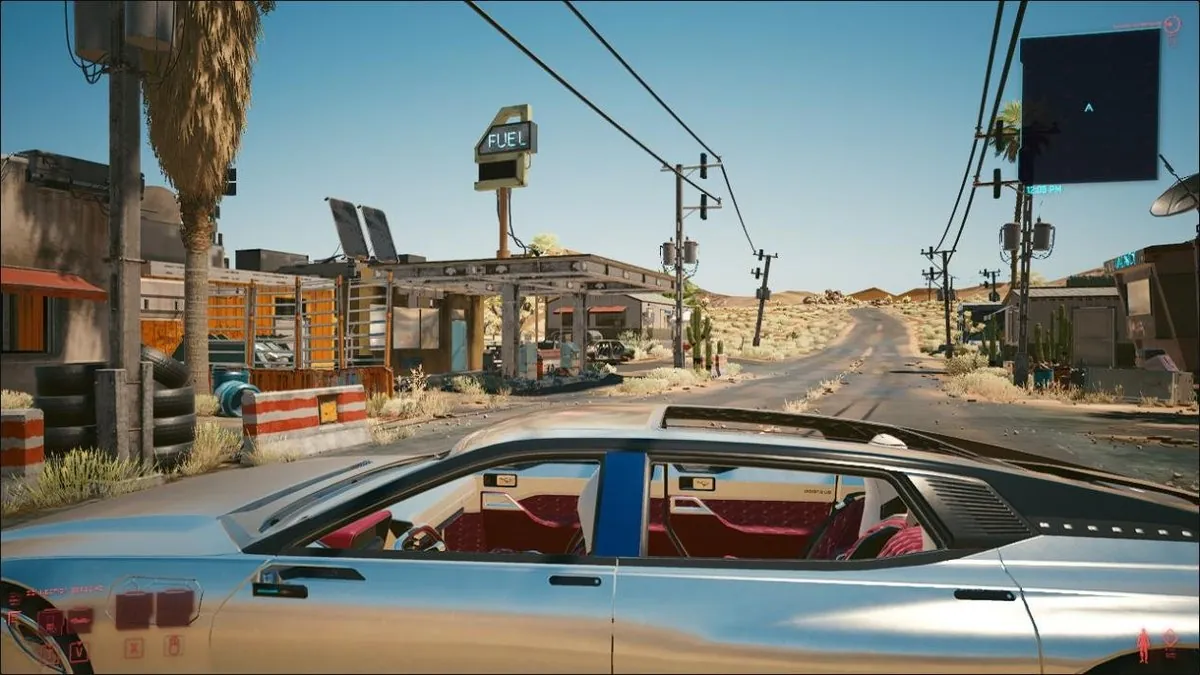
About Cyberpunk 2077
Play Cyberpunk 2077 free in your browser. No download, no install: it opens on cyberpunk2077.lol in a new tab.
Cyberpunk 2077 came out in December 2020 from CD Projekt Red, the studio behind The Witcher 3. You play V, a mercenary in Night City, a huge vertical city in a corporate-run future. A heist goes wrong, a chip carrying the digital ghost of rockerboy Johnny Silverhand ends up in your head, and the rest of the story is a race to get him out before he takes over. You shoot, hack, sneak or talk your way through jobs, upgrade yourself with cyberware and drive or ride across the city and the Badlands.
This browser version is a fan project by omonkeyzz (@omonkeyzz on X), the same developer who earlier rebuilt the 2017 Fortnite map for the browser. It went live on October 22, 2026 at cyberpunk2077.lol. It is not cloud streaming: the game runs on your own computer through WebGPU, and the game data streams in while you play, so you do not need your own copy of the game. It is the base game only, without Phantom Liberty, and single player.
Because it is the full game, it is heavy. The first start downloads a large chunk of data and compiles shaders, which can take several minutes, and players report freezes, long loading screens and missing sound on weaker machines. You need a recent Chrome or Edge on a PC with a real graphics card; Firefox is not supported.
How to play Cyberpunk 2077
- Press Play. The game opens on omonkeyzz's site in a new tab.
- Wait while the first data download and shader compilation finish. The first load is slow, later loads are faster.
- Click on the game so the browser allows sound and mouse control.
- Pick New Game in the main menu and create your V.
- Keep the tab in front while it loads; switching tabs can slow it down.
Controls
These are the PC version's default keys. We could not check them on the browser port ourselves because it needs a graphics card.
Tips
- Use a PC with a dedicated graphics card and close other tabs that use the GPU, such as videos or other games.
- Give the first load time. A large download and shader compilation run before the menu appears.
- If it says your browser has no WebGPU, update Chrome or Edge and turn on hardware acceleration in the browser settings.
- No sound? Click on the game once; browsers block audio until you interact.
- If loading gets stuck, reload the page. Data that already downloaded usually does not need to download again.
Questions
- Is Cyberpunk 2077 in the browser cloud streaming?
- No. It runs on your own computer with WebGPU and only the game data streams in from the site, so your graphics card does the work.
- Do I need to own Cyberpunk 2077 to play this?
- No game files are needed. The site loads everything for you when you press Play.
- Why does it say my browser has no WebGPU?
- The port draws with WebGPU. Use a recent Chrome or Edge on a computer with working graphics drivers; Firefox is not supported.
- Is Phantom Liberty or multiplayer included?
- No. It is the base game, single player only.
- Who made the browser version?
- A fan, omonkeyzz (@omonkeyzz on X). It is not affiliated with CD Projekt Red.
- Free
- No download
- Cyberpunk 2077 in browser
- Cyberpunk 2077 online
- Cyberpunk 2077 web port
- Play Cyberpunk no download
- Cyberpunk
- Cyberpunk 2077 Browser
- CP2077
Fan project by omonkeyzz, not affiliated with CD Projekt Red.
Changelog
- Added
More free browser games
- Play Counter-Strike 1.6 in your browser
- Play LEGO Island in your browser
- Play Pokémon Redstone in your browser
- Play Redcoats in your browser
- Play Salty Seas in your browser
- Play Park Baron in your browser
- Play SandStorm in your browser
- Play Seedbed in your browser
- Play Halo: Combat Evolved in your browser
- Play Five Nights at Freddy's in your browser
- Play Cricket 07 in your browser
- Play WWE SmackDown! Here Comes the Pain in your browser
- Play Mortal Kombat: Shaolin Monks in your browser
- Play Burnout 3: Takedown in your browser
- Play Hollow Knight in your browser
- Play Worms: Open Warfare 2 in your browser
- Play Guitar Hero III in your browser
- Play Cuphead Boss Fight: Wally Warbles (fan game) in your browser
- Play Need for Speed: Most Wanted in your browser
- Play Midnight Club 3: DUB Edition in your browser
- Play WWE SmackDown vs. Raw 2011 in your browser
- Play PES 2014 in your browser
- Play FIFA 14 in your browser
- Play Need for Speed: Underground 2 in your browser
- Play Tekken 5: Dark Resurrection in your browser
- Play PES 2011 in your browser
- Play World at War Zombies in your browser
- Play Majesty Gold HD in your browser
- Play Portal in your browser
- Play No One Lives Forever in your browser
- Play Super Monkey Ball in your browser
- Play Quake (Episode 1) in your browser
- Play Crimsonland in your browser
- Play Snail Mail in your browser
- Play Harvest: Massive Encounter in your browser
- Play Dragon Ball Z: Budokai Tenkaichi 3 in your browser
- Play City Chase: Escape Police in your browser
- Play Mario Kart 8 Deluxe in your browser
- Play Team Fortress 2 in your browser
- Play The Binding of Isaac: Repentance+ in your browser
- Play Fortnite OG in your browser
- Play Tweetcraft in your browser
- Play Halo CE Mobile in your browser
- Play Super Mario Zombies in your browser
- Play DOOM II Multiplayer in your browser
- Play Quake III Arena in your browser
- Play Quake II in your browser
- Play QuakeWorld in your browser
- Play Return to Castle Wolfenstein in your browser
- Play Urban Terror in your browser
- Play Moon (Zombies) in your browser
- Play Kino der Toten in your browser
- Play Cheese Cube (Zombies) in your browser
- Play Black Ops II (Vibe Slops II) in your browser
- Play Modern Warfare 2 in your browser
- Play Half-Life in your browser
- Play Black Ops Zombies in your browser
- Play skate. 3 in your browser
- Play The Simpsons: Hit & Run in your browser
- Play Minecraft 1.8.8 in your browser
- Play Crash Bash Online in your browser
- Play PES 6 in your browser
- Play RuneScape Classic in your browser
- Play Surfd in your browser
- Play Cuphead in your browser
- Play Stardew Valley in your browser
- Play Among Us in your browser
- Play Lethal Company in your browser
- Play PEAK in your browser
- Play RimWorld in your browser
- Play Inscryption in your browser
- Play Bendy and the Ink Machine in your browser
- Play MiSide in your browser
- Play OneShot: World Machine Edition in your browser
- Play Helltaker in your browser
- Play FEZ in your browser
- Play Brotato Paws n' Claws in your browser
- Play Ravenfield in your browser
- Play Clustertruck in your browser
- Play Plague Inc in your browser
- Play Lobotomy Corporation in your browser
- Play Trombone Champ in your browser
- Play Granny 3 in your browser
- Play How to Fish in your browser
- Play SCP: Containment Breach in your browser
- Play Baldi's Basics Birthday Bash in your browser
- Play Boil Noodles at Night in your browser
- Play Cheese Rolling in your browser
- Play Dice A Million in your browser
- Play The Man From The Window 2 in your browser
- Play Beatblock in your browser
- Play Happy Room in your browser
- Play Ages of Conflict in your browser
- Play while True: learn() in your browser
- Play Crashout Crew in your browser
- Play The Message From Deep Space in your browser
- Play Dude, Stop in your browser
- Play Hill Climb Racing in your browser
- Play Toasterball in your browser
- Play Flash Games (878) in your browser
- Play Arcade Classics (227) in your browser