Play Arcade Classics (227) in your browser
By WASM Arcade · Collection · Arcade
About Arcade Classics (227)
Can you play Arcade Classics (227) in your browser? Yes: play it free on INXANITY Games, with no download and no install. Press Play and it opens in a new tab.
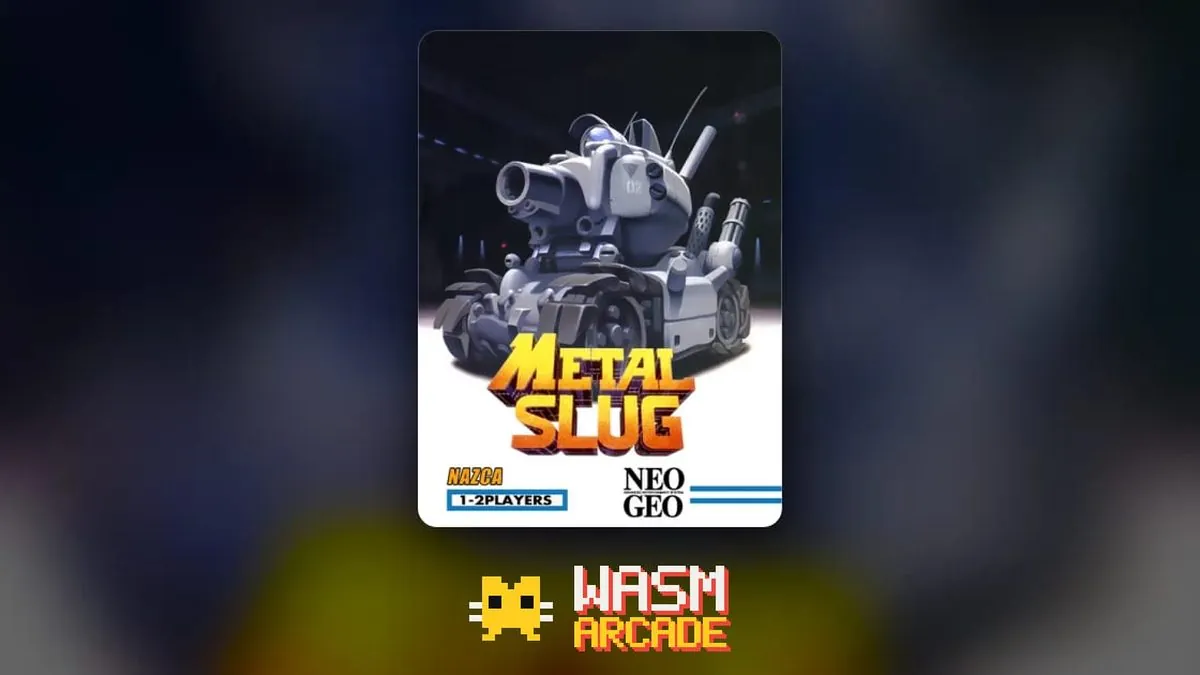
Arcade Classics is WASM Arcade's shelf of 227 coin-op games that run on WebAssembly emulation in a browser tab. They come in three groups. The Neo Geo section has 90 SNK games, including Metal Slug 1 to 5, The King of Fighters '95, '97 and 2002, Samurai Shodown III, The Last Blade, Windjammers and Neo Bomberman. Capcom arcade holds 62 games from the CPS1, CPS2 and CPS3 boards: Street Fighter II and its updates, Street Fighter Alpha 3, Street Fighter III: 3rd Strike, Marvel vs. Capcom, Final Fight, Cadillacs and Dinosaurs and the two Dungeons & Dragons games. Arcade classics adds 75 more from Sega, Midway, Technos, Taito and others, like Pac-Man, OutRun, Golden Axe, Double Dragon, Mortal Kombat II and NBA Jam Tournament Edition.
Each game has its own page with a short history, the year and board, tips and a controls table. Neo Geo games run on FinalBurn Neo. Games start in free play: press the coin key, then Start. Every game uses the same keyboard layout, and a standard controller works too.
The emulator can save a state at any moment and load it later, on top of whatever saves the game itself has. WASM Arcade hosts the collection; each game belongs to its original publisher.
How to play Arcade Classics (227)
- Press Play: WASM Arcade's retro games page opens in a new tab.
- Pick a system (Neo Geo, Capcom arcade or Arcade classics) or use the A to Z index and search.
- On the game's page, press Play and wait for it to load. Use Fullscreen for a bigger picture.
- Press V to insert a coin, then Enter to start.
- Press 1 to save a state and 2 to load it, so you can try a hard stage again.
Controls
These are the emulator's defaults on every game page. What each button does depends on the game; each page lists it, and you can rebind keys from the controller icon in the emulator's toolbar.
Tips
- In Metal Slug, free the tied-up prisoners: many of them drop weapons or bonus items.
- Use save states before bosses; arcade games were built to eat coins.
- Fighting games use six buttons. Check the controls table on the game's page before you play.
- Use Surprise me on the site if you cannot decide what to play.
Questions
- Can I play Metal Slug and Street Fighter II in my browser?
- Yes. Both are in the collection and run on WebAssembly emulation in a browser tab, free, with no emulator setup.
- Do I need to insert coins?
- Games run in free play. Press V to add a credit and Enter to start, as often as you like.
- Can I use a controller?
- Yes. A standard Xbox or PlayStation controller works, and you can rebind buttons from the emulator's toolbar.
- Can I save my progress?
- Yes, with save states: press 1 to save and 2 to load at any point.
- Free
- No download
- Arcade games online
- Metal Slug browser
- Street Fighter II
- Neo Geo
Collection hosted by WASM Arcade. Each game belongs to its original publisher.
Changelog
- Updated : Game description updated
- Added
More free browser games
- Play GTA V in your browser
- Play Counter-Strike 1.6 in your browser
- Play LEGO Island in your browser
- Play Pokémon Redstone in your browser
- Play Taipei Rush in your browser
- Play Redcoats in your browser
- Play Salty Seas in your browser
- Play Park Baron in your browser
- Play SandStorm in your browser
- Play Seedbed in your browser
- Play GTA Vice City in your browser
- Play GTA III in your browser
- Play Halo: Combat Evolved in your browser
- Play Cyberpunk 2077 in your browser
- Play Five Nights at Freddy's in your browser
- Play Cricket 07 in your browser
- Play WWE SmackDown! Here Comes the Pain in your browser
- Play Mortal Kombat: Shaolin Monks in your browser
- Play Burnout 3: Takedown in your browser
- Play Hollow Knight in your browser
- Play Worms: Open Warfare 2 in your browser
- Play Guitar Hero III in your browser
- Play Cuphead Boss Fight: Wally Warbles (fan game) in your browser
- Play Need for Speed: Most Wanted in your browser
- Play Midnight Club 3: DUB Edition in your browser
- Play WWE SmackDown vs. Raw 2011 in your browser
- Play PES 2014 in your browser
- Play FIFA 14 in your browser
- Play Need for Speed: Underground 2 in your browser
- Play Tekken 5: Dark Resurrection in your browser
- Play PES 2011 in your browser
- Play World at War Zombies in your browser
- Play Majesty Gold HD in your browser
- Play Portal in your browser
- Play No One Lives Forever in your browser
- Play The Elder Scrolls III: Morrowind in your browser
- Play Super Monkey Ball in your browser
- Play Quake (Episode 1) in your browser
- Play Crimsonland in your browser
- Play Harvest: Massive Encounter in your browser
- Play Dragon Ball Z: Budokai Tenkaichi 3 in your browser
- Play GTA: Chinatown Wars in your browser
- Play City Chase: Escape Police in your browser
- Play Mario Kart 8 Deluxe in your browser
- Play Mario Kart 64 in your browser
- Play Super Mario Galaxy in your browser
- Play Team Fortress 2 in your browser
- Play The Binding of Isaac: Repentance+ in your browser
- Play Fortnite OG in your browser
- Play Tweetcraft in your browser
- Play Halo CE Mobile in your browser
- Play Super Mario Zombies in your browser
- Play DOOM II Multiplayer in your browser
- Play Quake III Arena in your browser
- Play Quake II in your browser
- Play QuakeWorld in your browser
- Play Return to Castle Wolfenstein in your browser
- Play Urban Terror in your browser
- Play Moon (Zombies) in your browser
- Play Kino der Toten in your browser
- Play Cheese Cube (Zombies) in your browser
- Play Black Ops II (Vibe Slops II) in your browser
- Play Modern Warfare 2 in your browser
- Play Diablo in your browser
- Play Half-Life in your browser
- Play Black Ops Zombies in your browser
- Play skate. 3 in your browser
- Play The Simpsons: Hit & Run in your browser
- Play Minecraft 1.8.8 in your browser
- Play Crash Bash Online in your browser
- Play PES 6 in your browser
- Play RuneScape Classic in your browser
- Play Surfd in your browser
- Play Cuphead in your browser
- Play Hotline Miami in your browser
- Play Stardew Valley in your browser
- Play Among Us in your browser
- Play Lethal Company in your browser
- Play PEAK in your browser
- Play RimWorld in your browser
- Play Inscryption in your browser
- Play Bendy and the Ink Machine in your browser
- Play MiSide in your browser
- Play OneShot: World Machine Edition in your browser
- Play Helltaker in your browser
- Play FEZ in your browser
- Play Brotato Paws n' Claws in your browser
- Play Ravenfield in your browser
- Play Clustertruck in your browser
- Play Plague Inc in your browser
- Play Lobotomy Corporation in your browser
- Play Trombone Champ in your browser
- Play Granny 3 in your browser
- Play How to Fish in your browser
- Play SCP: Containment Breach in your browser
- Play Baldi's Basics Birthday Bash in your browser
- Play Boil Noodles at Night in your browser
- Play Cheese Rolling in your browser
- Play Dice A Million in your browser
- Play The Man From The Window 2 in your browser
- Play Beatblock in your browser
- Play Happy Room in your browser
- Play Ages of Conflict in your browser
- Play while True: learn() in your browser
- Play Crashout Crew in your browser
- Play The Message From Deep Space in your browser
- Play Dude, Stop in your browser
- Play Hill Climb Racing in your browser
- Play Toasterball in your browser
- Play Tony Hawk's Pro Skater 3 in your browser
- Play Spider-Man 2 in your browser
- Play PES 2012 in your browser
- Play Crash Nitro Kart in your browser
- Play UFC Throwdown in your browser
- Play Naruto Shippuden: Ultimate Ninja 5 in your browser
- Play WWE SmackDown vs. Raw 2010 in your browser
- Play WWE SmackDown! vs. RAW in your browser
- Play NBA Street V3 in your browser
- Play Virtua Tennis 2 in your browser
- Play Resident Evil 4 in your browser
- Play Tekken 4 in your browser
- Play Street Fighter III: 3rd Strike in your browser
- Play NFL Street in your browser
- Play SSX 3 in your browser
- Play F1 06 in your browser
- Play Tony Hawk's Underground 2 in your browser
- Play Downhill Domination in your browser
- Play Dragon Ball Z Budokai Tenkaichi 2 in your browser
- Play Dragon Ball Z Budokai 3 in your browser
- Play Marvel vs. Capcom 2 in your browser
- Play Street Fighter Anniversary Collection in your browser
- Play FIFA Street in your browser
- Play FIFA 11 in your browser
- Play FIFA 12 in your browser
- Play FIFA 13 in your browser
- Play Battle Stadium D.O.N in your browser
- Play Gran Turismo 4 in your browser
- Play FIFA Street 2 in your browser
- Play Crisis Core: Final Fantasy VII in your browser
- Play God of War: Ghost of Sparta in your browser
- Play Terraria in your browser
- Play Resident Evil Outbreak: File #1 + #2 in your browser
- Play Mortal Kombat: Armageddon (Mortal Kombardo) in your browser
- Play POSTAL 2 in your browser
- Play Airtime in your browser
- Play GTA Paris Online (beta) in your browser
- Play Angry Birds 2 in your browser
- Play GTA 2 in your browser
- Play Meat Boy in your browser
- Play Tomb Raider (OpenLara) in your browser
- Play Super Mario Kart (fan remake) in your browser
- Play LEGO Racers (Step On It) in your browser
- Play Mortal Kombat 9 (Mortal Kombardo 9) in your browser
- Play Dragon Ball Z Budokai in your browser
- Play Dragon Ball Z Budokai 2 in your browser
- Play NFL Street 2 (NIL Street) in your browser
- Play Sonic Mania Plus in your browser
- Play Spore Origins (fan remake) in your browser
- Play Super Mario Bros. in your browser
- Play Unreal in your browser
- Play Unreal Tournament in your browser
- Play Unreal Tournament 2004 in your browser
- Play Unreal Championship 2 in your browser
- Play Baldur's Gate II: Shadows of Amn in your browser
- Play CloverPit in your browser
- Play FlatOut 2 in your browser
- Play Star Wars Jedi Knight II: Jedi Outcast (demo) in your browser
- Play Need for Speed: Underground 2 Online in your browser
- Play Warcraft II: Tides of Darkness in your browser
- Play Pokémon Red & Blue Online in your browser
- Play World of Warcraft Classic (Keldurn) in your browser
- Play Naruto Shippuden: Ultimate Ninja Impact in your browser
- Play Tomb Raider: Legend in your browser
- Play Def Jam: Fight for NY - The Takeover in your browser
- Play Gran Turismo (PSP) in your browser
- Play Devil May Cry 3: Dante's Awakening in your browser
- Play Vexx in your browser
- Play Daxter in your browser
- Play God of War: Chains of Olympus in your browser
- Play Resident Evil Code: Veronica X in your browser
- Play Bully (Canis Canem Edit) in your browser
- Play DRIV3R in your browser
- Play Def Jam: Fight for NY in your browser
- Play The Lord of the Rings: The Return of the King in your browser
- Play Pursuit Force in your browser
- Play Kingdom Hearts: Birth by Sleep in your browser
- Play Metal Gear Solid: Peace Walker in your browser
- Play Metal Gear Solid: Portable Ops in your browser
- Play Metal Gear Solid: Portable Ops Plus in your browser
- Play Enter the Matrix in your browser
- Play GTA IV in your browser
- Play GTA: Vice City Stories in your browser
- Play Assassin's Creed: Bloodlines in your browser
- Play True Crime: New York City in your browser
- Play Star Wars: Battlefront 2 in your browser
- Play Prince of Persia: The Sands of Time in your browser
- Play Killzone in your browser
- Play Metal Gear Acid in your browser
- Play Medal of Honor: Heroes in your browser
- Play SOCOM: U.S. Navy SEALs Fireteam Bravo in your browser
- Play Ratchet & Clank: Size Matters in your browser
- Play Shadow of the Colossus in your browser
- Play Spyro: Enter the Dragonfly in your browser
- Play Hitman: Blood Money in your browser
- Play BLACK in your browser
- Play Tony Hawk's American Wasteland in your browser
- Play Dante's Inferno in your browser
- Play Conker's Bad Fur Day: Multiplayer in your browser
- Play Cave Story in your browser
- Play Sandspiel in your browser
- Play Vice City Online in your browser
- Play GTA San Andreas PS2 Version in your browser